The Kwamle Media app for Android
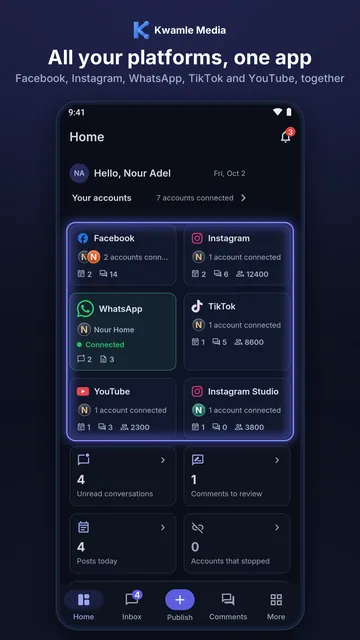
All your channels in one app: WhatsApp, Messenger and Instagram in one inbox, publishing to the channels you connected, your team and its permissions, and AI-suggested replies.
For use with an existing Kwamle Media account. There are no purchases in the app.
Inside the app
A look at the app on the phone.
What you can do from your phone
Six things you no longer need a computer for.
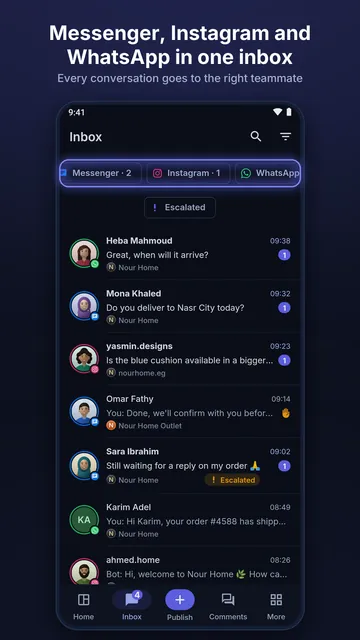
One inbox for every channel
Conversations from every channel you connected in one list, with a filter per channel, search and unread counts. A notification for a new message opens that conversation.
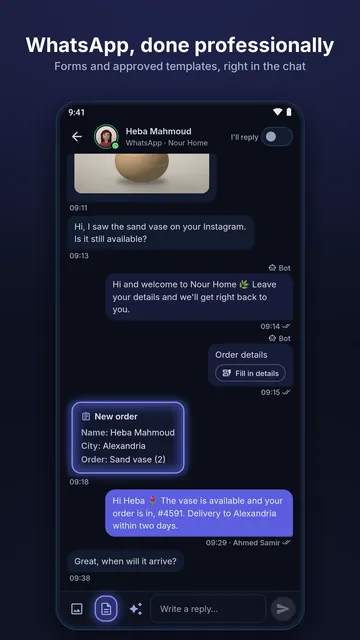
WhatsApp for your business
Reply with text or a photo, see whether a customer's 24-hour reply window is still open, and once it has closed, restart the conversation with one of your number's approved message templates.
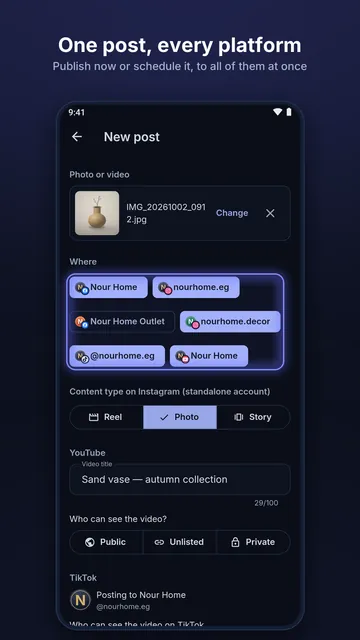
Publish and schedule
Share a photo or video from your gallery, pick the connected channels it goes to, then publish now or pick a time. Uploads carry on by themselves after a lost connection.
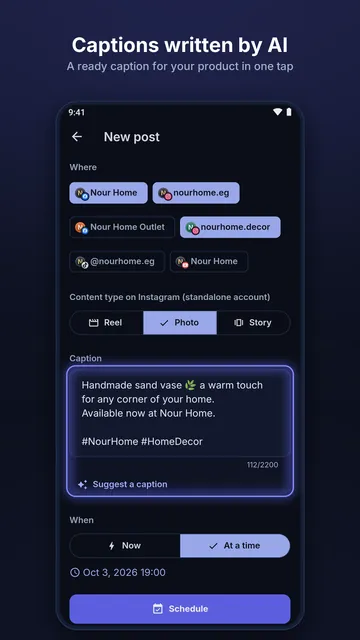
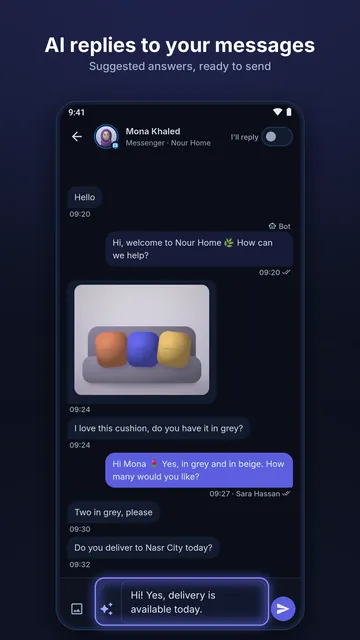
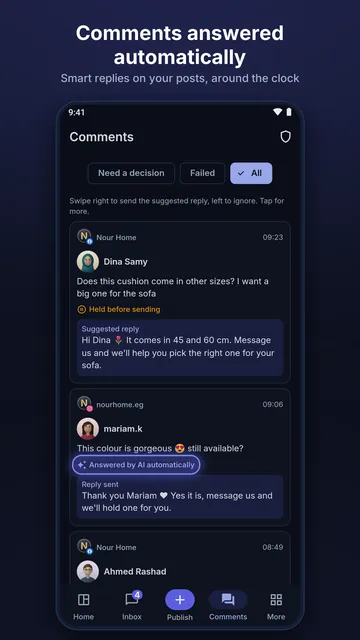
Captions and replies with AI
Ask for a suggested caption for your post or a suggested reply in any conversation, and edit it before you send.
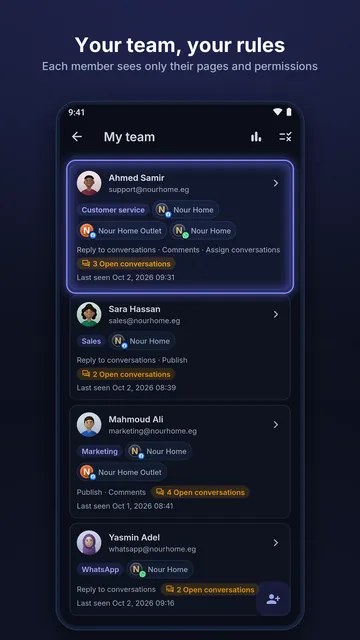
Your team and its permissions
Create sign-ins for your team, choose the pages each member works on and whether they see only the conversations assigned to them, and follow their activity for today or the last 7 days.
Works offline, keeps drafts
Recent conversations stay readable offline, and replies you write offline go out by themselves when the connection is back. What you started is kept as a draft on your phone.
Good to know
- You need a Kwamle Media account. Accounts are created on the Kwamle Media website; in the app, the account owner can add sign-ins for team members.
- For use with an existing Kwamle Media account. There are no purchases in the app.
Privacy policyDelete your accountSupport: support@kwamlemedia.com
Facebook, Messenger, Instagram and WhatsApp are trademarks of Meta Platforms, Inc. Kwamle Media is an independent service and is not affiliated with Meta.
No account yet?
Create your account on the website, connect your channels, then sign in to the app.